This tutorial will walk you through writing a paper from scratch. It takes about 5–10 minutes.
Top Priority
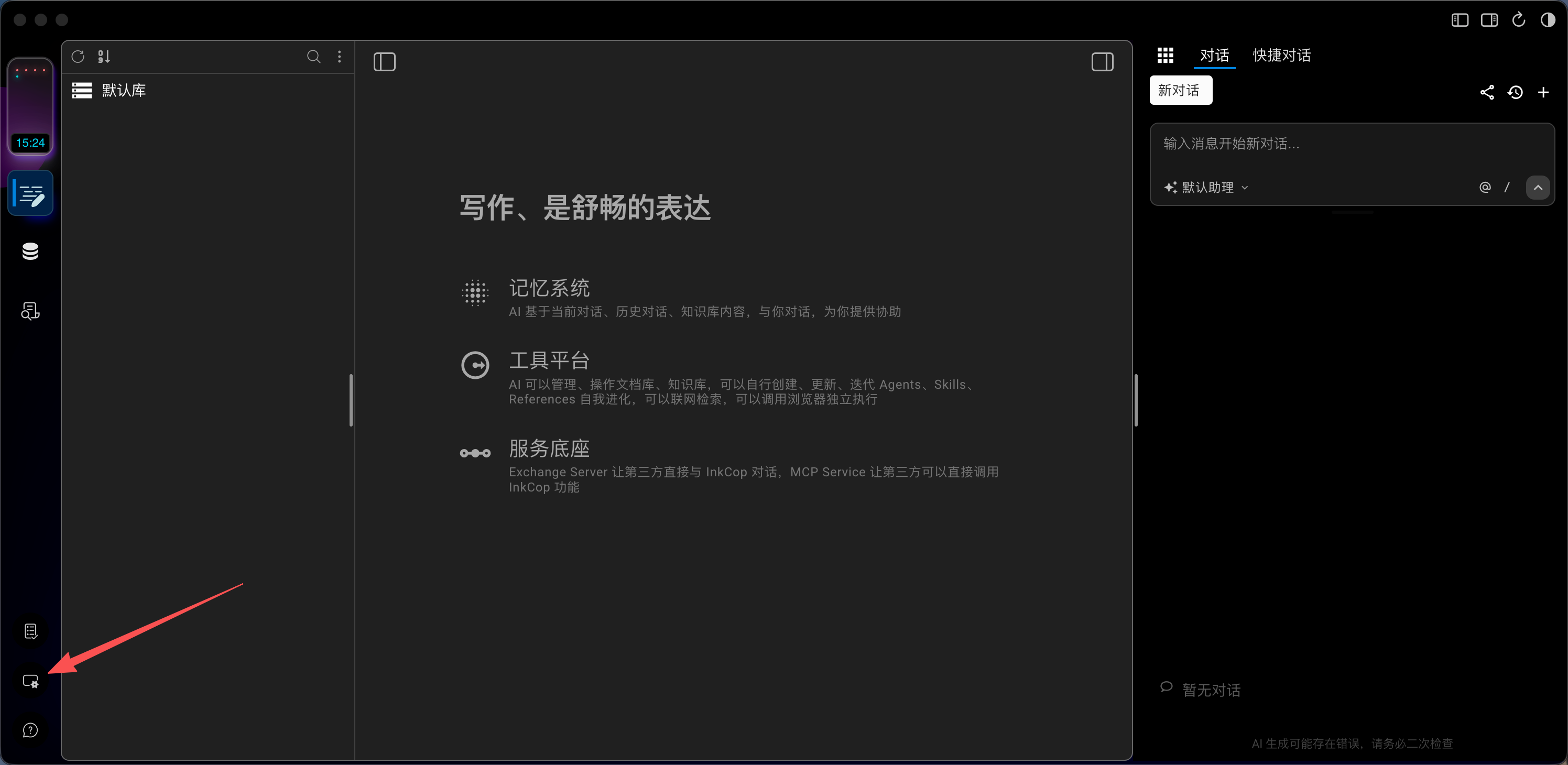
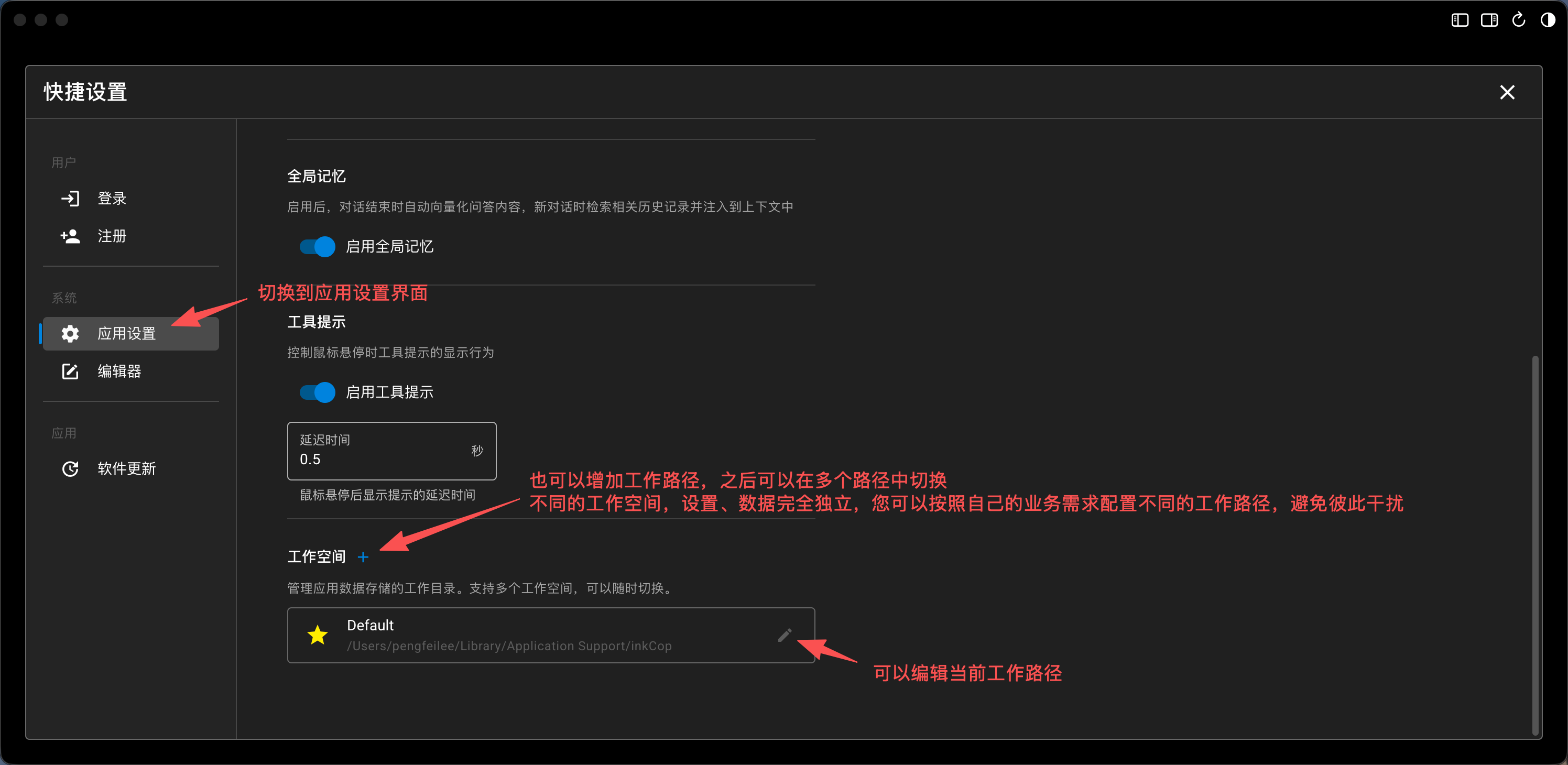
InkCop is a local-first application — your private data is stored entirely on your device and never uploaded to any server. Data safety is critical, so the first thing you should do is configure your workspace path so you can easily back up your important data at any time.
Step 1: Create a Document Library
- Click Document Editing icon (default)
- Click New Library, enter a name like “My Papers”
Step 2: Create a Document
- Right-click or use New Document button
- Enter a title like “Applications of Deep Learning in Medical Imaging”
Step 3: Write with the Editor
- Headings: Type
#,##,###+ space - Bold/Italic:
Ctrl+B/Ctrl+I - Lists:
-or1.+ space - Math formulas: Wrap with
$$ - Code blocks: Type ````
Step 4: Ask the AI Assistant
After configuring AI services:
| Scenario | Example Command |
|---|---|
| Generate outline | ”Generate an IMRaD outline for a review paper about XX” |
| Polish text | ”Rewrite this paragraph in academic English style” |
| Literature review | ”Summarize research progress in XX field from the knowledge base” |
| Translation | ”Translate this Chinese abstract into academic English” |
Step 5: Use Knowledge Base
- Click Knowledge Base icon → Create Knowledge Base
- Add Documents — upload PDFs or Markdown files
- Documents are automatically vectorized
- Ask AI: “Based on the knowledge base, write a literature review about XX”
The AI will retrieve relevant content and generate a sourced literature review.